Localization
Localization page / translating resource strings
Localization is used for translating system texts. For each language variant available on the website, a separate localization needs to be created. So if you have languages cz, sk and en, each language will have its own localization page.
Localization can be found under Content → Content items:

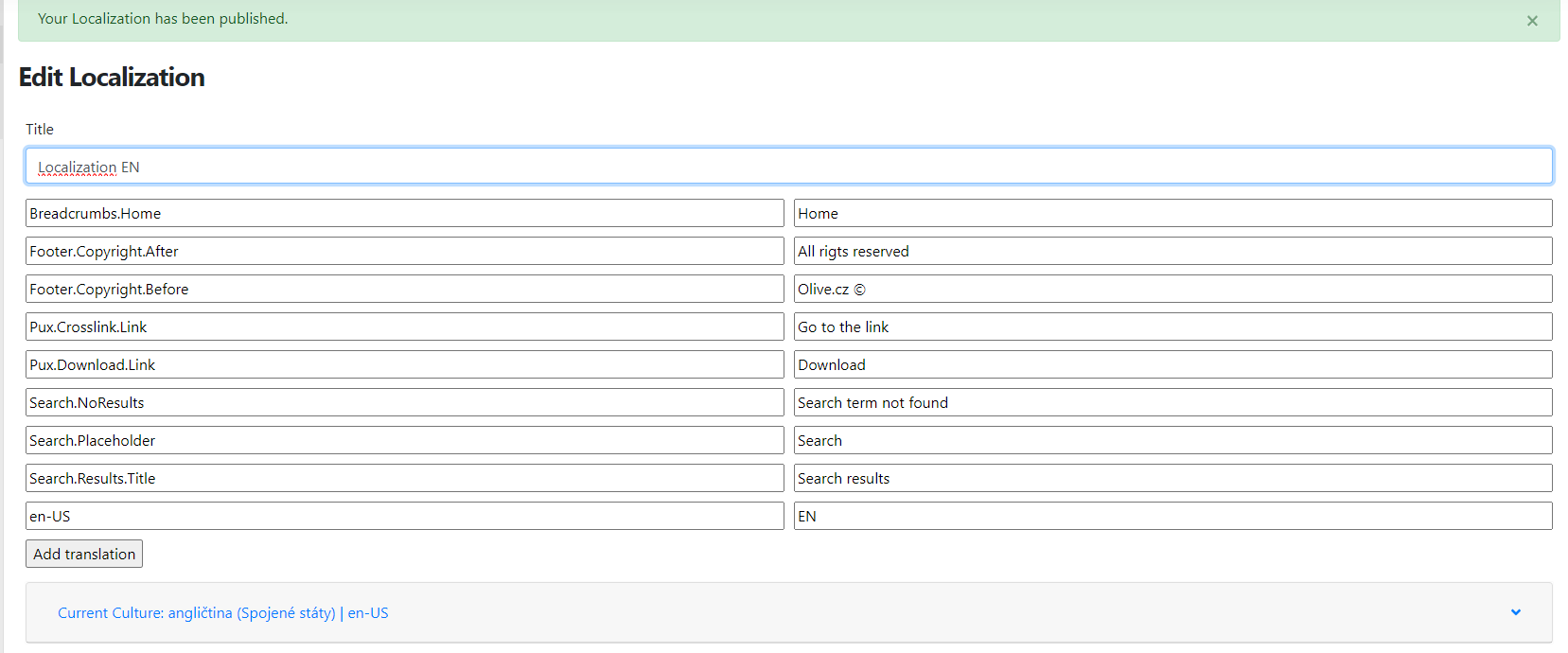
The localization page contains a resource string on the left side, in the form for example "Footer.Copyright.After", and the translation on the right side, e.g. "All rights reserved."
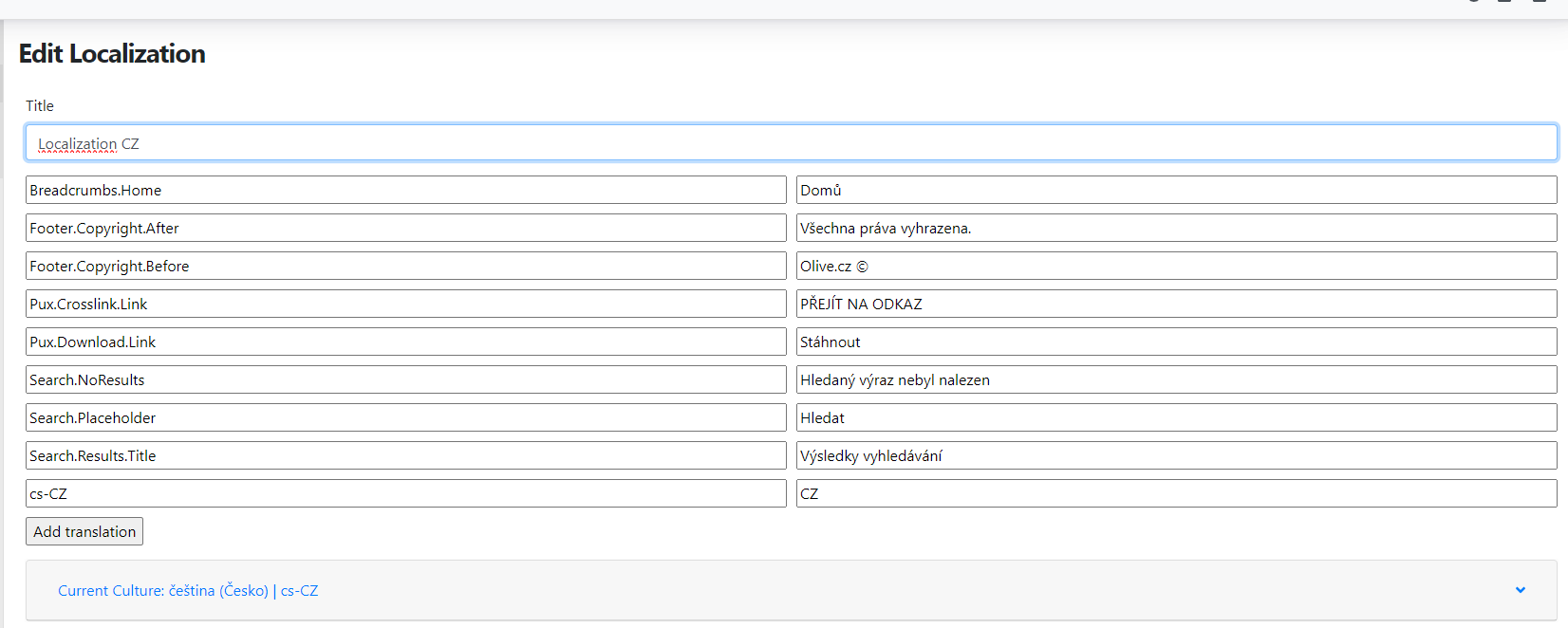
Additional strings can be added using the "add translation" button, where you fill in the string and its translation. Always save modified or newly entered strings.
The resource strings themselves must follow the exact casing, as shown in the image above. For the translations of individual strings, this is not necessary. The translation you enter, including its casing, will appear on the website exactly as written.
Localization for additional languages
By default, a localization page is always already prepared in the CMS. It depends on the main language of the website – Czech, English, etc. To avoid having to create a new page for each additional language variant, you can use the option to copy to the desired language. Similarly to regular pages, you create a localized page with resource strings. Click the Localizations button and select which culture the page should be created in.

Name the newly created page for example "Localization EN". After that, the translations of the strings need to be updated, i.e. the terms need to be translated into English.