seo
slug: /introduction-to-cms/seo sidebar_label: SEO
SEO
SEO (search engine optimization) helps your website rank better in Google and other search engine results.
Why SEO matters
- Increases website discoverability: more people find your pages.
- Improves first impressions in search: the right title and description increase click-through rates.
- Improves social media sharing: pages appear with appropriate name, description and image.
- Helps search engines understand page content: better matched to relevant queries.
Where to configure SEO
SEO is configured in two places:
1) SEO tab when editing a page
When editing a specific page, open the SEO tab.
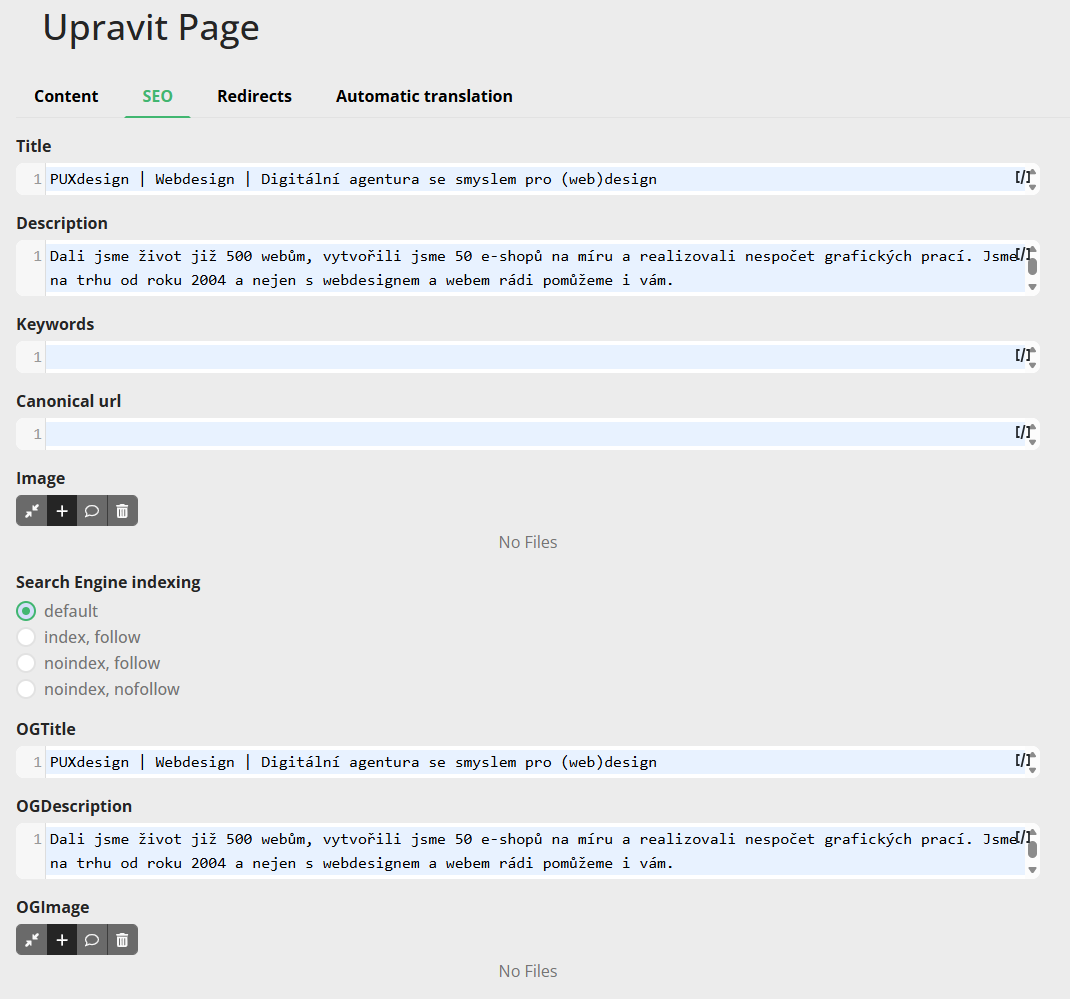
Fields typically filled in here:
- Page title (meta title)
- Page description (meta description)
- Keywords
- Canonical URL
- Sharing image
- OpenGraph data (OG title, OG description, OG image)
- Robots (e.g.
index,follow)
This setting takes priority for the given page.
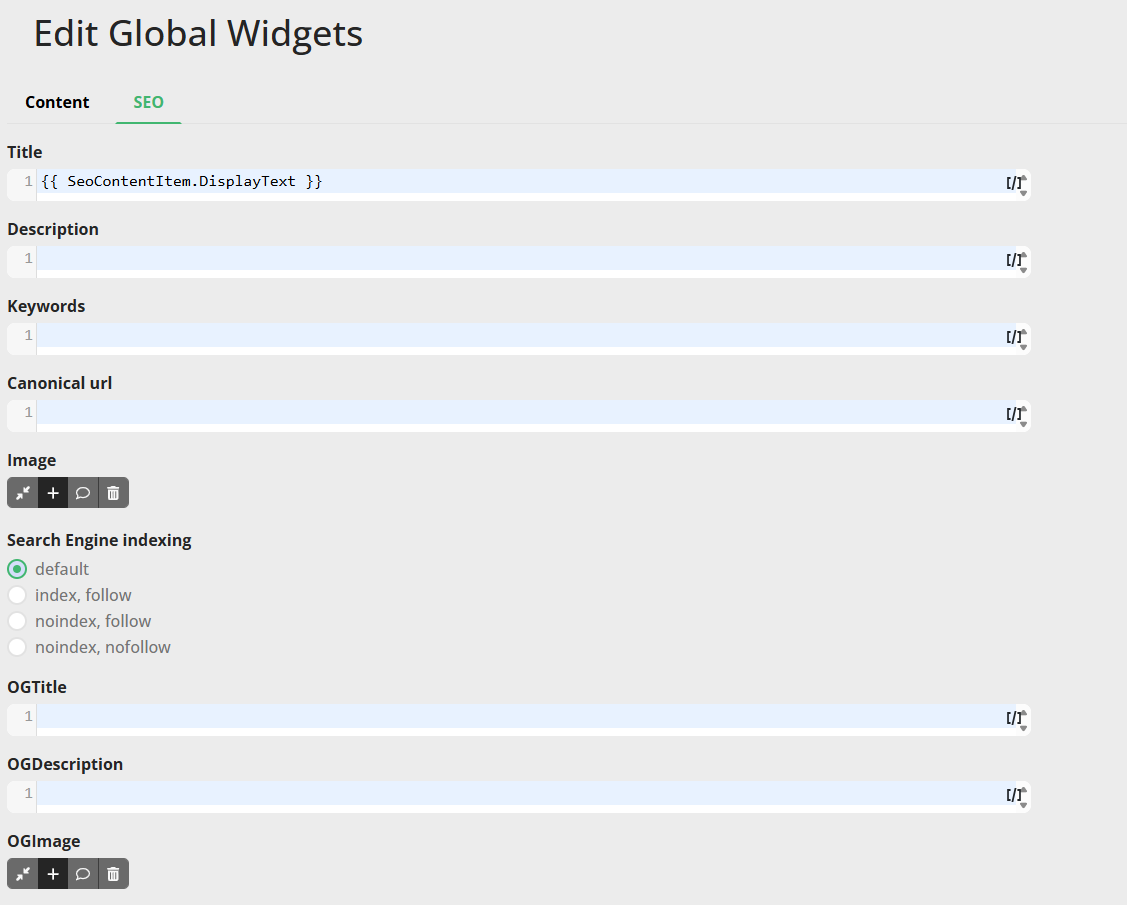
2) Global SEO (default values)
Global SEO serves as the default settings for the entire website.
It is used when a specific page does not have some SEO fields filled in. This ensures that even a new or incompletely filled page has basic SEO metadata.
Configuration is done in the Global Widgets item. To allow values to change depending on the specific page, the fields support the use of Liquid markers.
Recommendations
- Always fill in SEO manually in the page editor for important pages.
- Set Global SEO as a safe default foundation.
- Write titles and descriptions in a way that is understandable to people, not just search engines.